
What Goes Into Building a Website?

You know when someone says, “I just need a simple website,” and then hands you a 47-tab Google Doc and a Pinterest board titled Mood? Yeah. It’s never just a website. If you’re wondering why websites cost more than you expected, or why timelines stretch longer than “just throwing something together,” this one’s for you. Because a high-performing website isn’t just about what it looks like. It’s about what it does, who it speaks to, and how it moves people to act. So, what actually goes into building a site that works? Here’s the behind-the-scenes breakdown. Discovery and Strategy: The Bit Most People Skip (But Shouldn’t) What it is: This is where we dive deep. Not into colours and fonts, but into your goals, your audience, your offer and your positioning. It’s the business therapy you didn’t know you needed. We ask a lot of questions. Like, “What makes your brand different?” and “Why should anyone care?” Because your website has to say the right thing to the right person, or it’s just noise. Why it matters: Design without strategy is decoration. Strategy gives your site direction, clarity and impact so it actually converts. How we do it: We run a full strategy workshop, then create two key documents: Sitemap and UX: Your Website’s Skeleton What it is: This is your structure. The pages, the flow, the logic. What content goes where and how users will move through your site. Why it matters: If users can’t find what they need in three seconds, they’re gone. A good sitemap and user flow keeps people engaged, reduces friction and leads them toward action. How we do it: We analyse your audience’s behaviour using tools like Google Analytics, and map a clear journey. Then we build wireframes in Figma for every page, not just the homepage. Yes, that includes: Website Copywriting: Talk Like a Human, Sell Like a Pro What it is: Words that convert. Not just filler. Strategic messaging that answers questions, removes doubt and builds trust. Why it matters: Good design is great. But good design with great copy? That’s where the real value is. Copy is the difference between a visitor who clicks away and one who converts. How we do it: We co-write your copy with you inside Figma, using the StoryBrand framework as our guide. You bring the insights, we help you say it clearly and strategically. Want to dive deeper into writing web copy?👉 How to write website copy that actually converts UI Design: Make It Look Like You (But Better) What it is: UI stands for user interface. It’s how your site looks and feels. Think layout, branding, colours, fonts and imagery. Why it matters: Design builds trust, supports the message and makes navigation intuitive. A good-looking site isn’t enough. It has to feel like your brand and guide users toward action. How we do it: We design your site in Figma from scratch, not from cookie-cutter templates. Everything is created with your goals, brand and users in mind. If you’re on WordPress, we’ve got room to get creative. On Shopify or other builders, we work smart within the limits to make your site stand out without breaking things. Development: The Tech That Makes It Real What it is: Development is where everything comes to life. Code, speed, responsiveness and functionality all live here. Why it matters: A slow or broken site is worse than no site at all. Performance affects everything from user experience to SEO and conversion rate. How we do it: We develop sites that are: Post-Launch Support: Because It Doesn’t End at Go Live What it is: Everything that happens after launch. Tech support, small edits, performance optimisation and “How do I change this again?” kind of help. Why it matters: Your business will evolve. You’ll launch new offers, create content, test ideas. Your site should evolve with you, not hold you back. What’s included: Every Aesthetic Studios site includes: TL;DR? You’re not just paying for “a website.” You’re investing in: If you want a simple placeholder, you can build that yourself. If you want a site that looks sharp, converts better and grows with your business, that’s what we do. Let’s build you the site your brand deserves.
How Much Does a Website Actually Cost?
Have you ever wondered how much it would cost to launch your very own website? You’re not alone. As more businesses make the leap to the digital world, the question of website costs becomes increasingly important. And let’s face it, navigating the complex maze of website design and development pricing can be quite a challenge – even daunting at times. That’s why in this article, we’ll show you exactly how much it cost to build a website and reveal hidden fees you need to be aware of before you build your website.
Web Design Agency vs Freelancer: What’s the Best Fit for My Project?
You’ve hit that moment – your website needs an upgrade, and you’re ready to invest. Now you’re staring down two very different paths:Do you hire a freelancer, or bring in a full agency? One feels nimble and affordable. The other feels more robust, but more expensive.And if you’ve never worked with either before, it’s hard to know which one’s going to nail it – or leave you fixing things six months later. This article will help you figure it out. You’ll walk away knowing what each option really offers, what risks to consider, and which choice suits your goals, budget and bandwidth. What’s the actual difference? A freelancer is typically a one-person show.They might be a designer, a developer or even a hybrid of both – but either way, you’re relying on a single skillset. A web agency, like AE Studios, brings a full team to the table. Strategists, designers, copywriters, UX specialists, devs – all working together under one roof. Why it matters: If you only need one thing – like a landing page or a quick template tweak – a freelancer might be the perfect fit. But if you need strategy, design, content and functionality that actually drives results? That’s where an agency shines. How to decide: Ask yourself: “Am I hiring for output, or outcome?”If you just need something made, fast and cheap, output is fine.If you’re after a site that performs, converts and supports your growth? You’re building for outcome. And that takes a team. Scope: What are you really building? Some sites are just online brochures.Others are designed to capture leads, sell products, nurture trust and scale with your business. Big difference. Want to know how we approach that?👉 How Much Does a Website Actually Cost? Freelancer: Agency: Timeline & Communication This one’s big. Most freelancers are juggling multiple clients. Some are full-time employees doing freelance on the side. That doesn’t make them bad – but it does mean limited hours and potential delays. Freelancer: Agency: Want a peek at how our process works?👉 Our website process, broken down Cost: Let’s talk money Freelancers almost always come in cheaper upfront. But agencies bring more firepower – and that can save you from expensive mistakes down the line. Freelancer: Agency: Hidden Costs (That No One Talks About) A cheap site that doesn’t convert isn’t cheap – it’s expensive.Because while you’re saving upfront, you’re losing out on traffic, leads and sales every single day. Other things people forget to factor in: Need help writing copy that converts?👉 How to Write Website Copy that Doesn’t Suck So, which one’s right for you? Here’s a straight-up comparison to help you choose: Overview Freelancer Agency (like AE Studios) Budget ✅ Lower upfront cost 🚩 Higher, but all-included Project scope ✅ Small, simple websites ✅ Complex, strategic builds Speed 🚩 Can be delayed ✅ Managed team = faster delivery Skillset 🚩 Limited to one person ✅ Team of specialists Content/copy 🚩 Usually DIY ✅ Co-written and guided Scalability 🚩 May outgrow it fast ✅ Built to evolve Support 🚩 Hit or miss ✅ Ongoing and reliable TL;DR? Go with a freelancer if: Choose an agency if: And if you’re looking for an agency that doesn’t drown you in jargon or force you into cookie-cutter templates? Hey. You just found us.👉 Let’s build something brilliant
Web Design for Beginners: Stop Guessing, Start Creating

Stop me if this sounds familiar:You need a website. Not just any site. A good one. Something that actually works, looks the part, and doesn’t feel like it time-travelled from 2009. So you Google “how to build a website” and next thing you know, you’re drowning in tools, tutorials and terms you’ve never heard of. CSS, UI, UX, FTP. Cool. Now what? It’s no wonder most people get overwhelmed before they even begin. Here’s the truth: web design isn’t some mystical dark art. You don’t need to be a coder, a designer or someone with a six-figure budget. You just need to understand what matters: clarity, usability and a few well-chosen tools. This guide breaks it all down for you. You’ll learn: At Aesthetic Studios, we’ve helped businesses build sites that convert, not just look pretty. And we’ve answered big questions like Will Web Design Be Replaced By AI? and Is Automation Coming for Your Website? So if you’re ready to build something that doesn’t just look good, but feels right, you’re in the right place. Let’s get into it. What is Web Design? Think of web design as the art of making your website not only look good, but work good. It’s the blueprint and the vibe. It’s the structure, the flow, the feel, and yeah, the colours too. At its core, web design is about creating an experience that makes people want to stick around. It’s where creativity meets strategy. It’s not just “pretty pixels” – it’s functional beauty. Whether it’s the layout of your homepage, the way a button behaves when someone hovers, or how easy it is to find your contact form, it all comes back to one goal: don’t make your users think too hard. Why Web Design Actually Matters Let’s be real. People judge your brand by your website. Brutal, but true. Here’s why design isn’t optional: First impressions count Your website is your digital front door. If it looks outdated, cluttered or just plain confusing, people will bounce faster than you can say “high-converting landing page.” A polished, intentional design gives people confidence. It says, “Hey, we know what we’re doing.” It shapes the user experience Good design makes things easy. Navigation should feel intuitive. Text should be readable. Buttons should be obvious. People don’t come to your site for a treasure hunt—they come to find something, quickly. It builds trust A clean, professional site builds credibility. If your design feels sloppy or broken, people subconsciously start questioning your legitimacy. No matter how amazing your product or service is, bad design can sabotage it. Design vs Development: The Breakup You Need to Understand Most people lump design and development into the same basket. They’re not the same. Not even close. Web Design is about aesthetics It’s the layout, the typography, the colours, the spacing. It’s how the site looks and how users interact with it. Designers are the people thinking about flow, not functions. Tools like Figma, Sketch and Adobe XD are their playground. Web Development is about functionality This is the behind-the-scenes stuff. Developers write the code that makes your site run. Front-end developers bring designs to life. Back-end developers make sure your database, user logins and forms actually work. They speak in languages like HTML, CSS, JavaScript and sometimes fluent sarcasm. Why you need both You can’t have one without the other. Beautiful design that doesn’t load properly is useless. And functional code wrapped in a bad interface? Also useless. They’re two sides of the same pixel-perfect coin. Key Elements of Web Design Let’s get one thing straight: good web design isn’t just about looking hot on the internet. It’s about functionality, flow, and making your user feel like they’re in exactly the right place. Here’s what actually matters: Visual Design Principles Colour Not all colour combos are created equal. (Unless your brand is deliberately going for “burns my retinas,” in which case—bold choice.)Pick a palette that matches your brand and doesn’t cause eye strain. Bonus points if your body text isn’t light grey on a white background. Contrast = king. Typography Your fonts should be legible, stylish and not resemble a ransom note. Use a hierarchy (headings, subheadings, body text) to guide attention. Two fonts max. Any more, and things start looking like a Year 9 group assignment. Layout Structure isn’t sexy, but it’s essential. Use grids to keep things clean, and white space to avoid visual suffocation. Let your content breathe. No one likes a cramped website. User Experience (UX) Design UX is the vibe check for your site. It’s all about how users feel when navigating your digital world. Navigation If users have to click around like they’re on a scavenger hunt, you’ve already lost them. Keep menus simple, predictable and visible. Nobody should need a map. Loading Speed Slow sites kill conversions. End of story. Compress your images, ditch the unnecessary scripts, and maybe don’t install every plugin under the sun. Accessibility Design like everyone’s welcome – because they are. Use alt text, keyboard navigation, and colour contrast tools so people of all abilities can actually use your site. Inclusive design isn’t optional. User Interface (UI) Design UI is the polish on your digital product – the buttons, sliders and scrolls that make everything feel buttery smooth. Consistency Keep your styles unified: fonts, colours, buttons, spacing. It’s like wearing matching socks – it just feels right. Feedback Buttons should click. Forms should confirm. Menus should move. Give users a little “yes, you did the thing” signal so they’re not left wondering if they broke something. Simplicity Just because you can add a hover effect, five dropdowns and a parallax video background… doesn’t mean you should. Edit ruthlessly. Responsive Design If your website throws a tantrum the moment it loads on a phone, it’s time for an intervention. The Web Design Process Think of this as your website’s glow-up journey: from “what even is this?” to chef’s kiss. Planning Set Goals Are you selling, informing or showcasing?
Is Web Design Important For Business? A Closer Look

Imagine you walk into a store that’s cluttered, disorganised, and hard to navigate. How likely are you to stay, let alone make a purchase? Your website is no different. If your site is poorly designed, confusing, or unappealing, you could be driving away valuable traffic and potential sales. In this article, you’ll discover why web design is crucial for your business, how it impacts user experience and SEO, and what steps you can take to create a website that not only looks good but performs well. By the end, you’ll understand how investing in quality web design can drive long-term success for your business. The First Impression: Why Your Website Design Is Important for Business Your website is often the first point of contact between your business and potential customers. Research shows that it takes only about 50 milliseconds (0.05 seconds) for users to form an opinion about your website that determines whether they’ll stay or leave. This snap judgement is based almost entirely on visual appeal. A professionally designed website immediately conveys credibility and trustworthiness. When visitors land on a clean, visually appealing site, they are more likely to perceive your business as reliable and professional. On the other hand, a poorly designed website can make your business appear outdated, disorganised, or even untrustworthy, causing potential customers to leave before exploring what you have to offer. Here’s why first impressions matter: Building Trust A well-designed website helps build trust with your audience. Trust is crucial in converting visitors into customers. If your site needs to be updated or more attractive, visitors might question the quality of your products or services. Reflecting Brand Identity Your website is a direct reflection of your brand. Consistent use of colours, fonts, and imagery aligned with your brand identity helps reinforce brand recognition and loyalty. Encouraging Engagement An attractive website invites visitors to stay longer, explore more pages, and engage with your content. The longer visitors stay on your site, the greater the chance they will convert into customers. Setting Expectations Your website sets the tone for what customers can expect from your business. A modern, well-organised site suggests a forward-thinking, customer-focused approach. User Experience: How Design Affects Usability and Engagement A visually appealing website is just the beginning. To capture and retain your audience’s attention, your website must offer an exceptional user experience (UX). Good UX design ensures that visitors can easily navigate your site, find the information they need, and complete desired actions without frustration. Key Elements of User Experience: Intuitive Navigation: Fast Loading Times: Mobile Responsiveness: Clear Call-to-Actions (CTAs): Readability and Accessibility: By focusing on these key elements, you can create a user-friendly website that keeps visitors engaged, reduces bounce rates, and encourages conversions. Remember, a positive user experience not only satisfies your visitors but also signals to search engines that your site is valuable, boosting your SEO rankings. SEO Benefits: Designing for Search Engines Good web design doesn’t just benefit your visitors; it also plays a crucial role in improving your search engine optimisation (SEO) efforts. A well-designed website helps search engines understand and rank your content, making it easier for potential customers to find you online. Key SEO Benefits of Good Web Design: Mobile-Friendliness: Fast Loading Speeds: Structured Data: Optimised Media: User Engagement Signals: Internal Linking: Brand Identity: Reflecting Your Business Through Design Your website is a digital extension of your brand. It communicates who you are, what you stand for, and why customers should choose you over your competitors. Effective web design ensures that your brand identity is consistently reflected across all elements of your site, creating a cohesive and memorable experience for your visitors. Key Elements of Brand Identity in Web Design: Visual Consistency: Imagery and Graphics: Tone of Voice: User Interface (UI) Design: Storytelling: Engagement and Interaction: By ensuring that every element of your web design aligns with your brand identity, you create a cohesive and memorable experience that resonates with your audience. A strong brand identity builds trust and loyalty, encouraging visitors to return and recommend your business to others. Conversion Rates: Turning Visitors into Customers While attracting visitors to your website is essential, the ultimate goal is to convert these visitors into customers. Effective web design plays a crucial role in this process by guiding users through a seamless journey from awareness to action. Key Elements of Web Design that Boost Conversion Rates: Clear Call-to-Actions (CTAs): User-Friendly Forms: Trust Signals: Visual Hierarchy: Landing Pages: A/B Testing: Load Speed: By implementing these design strategies, you can create a website that not only attracts visitors but also effectively converts them into customers. Good web design ensures that the path to conversion is smooth, intuitive, and engaging, ultimately driving your business growth. Mobile Responsiveness: Catering to All Users In an era where smartphones and tablets dominate internet usage, ensuring your website is mobile-responsive is more critical than ever. Mobile responsiveness means that your website adapts seamlessly to various screen sizes and devices, providing an optimal user experience regardless of how it’s accessed. Key Elements of Mobile Responsiveness: Adaptive Design: Touch-Friendly Navigation: Performance Optimisation: Responsive Typography: User Testing: Mobile-First Design: Common Web Design Mistakes to Avoid Creating a functional and visually appealing website involves more than understanding what to do; it’s also about knowing what not to do. Here are some common web design mistakes that can hinder your website’s effectiveness: Overloading with Content Cluttered pages can overwhelm visitors and detract from your site’s key messages. Keep design elements minimal and content concise. Ignoring Mobile Optimisation As mentioned, mobile responsiveness is critical. A site that doesn’t perform well on smartphones and tablets will likely experience high bounce rates. Poor Navigation If users can’t find what they need quickly, they won’t stay long. Navigation should be logical and straightforward. Slow Load Times A slow website will turn users away quickly. Optimise images, streamline code, and consider a reliable hosting service to enhance loading speeds. Neglecting SEO Best Practices SEO should be integrated into the design process, including proper
Will Web Design Be Replaced By AI?

Let’s get straight to it. You’re scrolling through Twitter (sorry, X), and you see another AI tool claiming it can design an entire website with just three prompts and a wink. Your gut twists. Is this it? Is the robot uprising finally coming… for your job? If you’re a web designer staring down the barrel of an AI-generated future, wondering whether your creative skills are about to be replaced by an algorithm – you’re not alone. In fact, you’re in the middle of one of the most hotly debated shifts in tech right now. And spoiler: you’re not getting replaced. But you are getting upgraded. As someone neck-deep in both web design and AI (yes, I’m talking UX wireframes and large language models), I’ve seen both the hype and the reality. In this article, you’ll unpack what AI can really do in web design, where it flops harder than a bad Canva template, and how to use it to boost – not bench – your creative skills. The Current State of AI in Web Design What it means AI has become the intern every web designer secretly wants: fast, tireless, and great at repetitive tasks. Tools like Wix ADI, Adobe Sensei and Sketch’s smart features are automating layouts, resizing images and even spitballing content ideas. Why it’s important These tools don’t just save time – they redefine workflows. Designers can focus more on strategy, creativity and user experience, while AI handles the grunt work. How to do it Explore platforms that already include AI: Wix, Squarespace, Adobe Creative Cloud, even tools like Copy.ai for quick copy. But remember, automation is only helpful if you curate the results. Don’t let AI design your brand. You’re the brains, it’s the brawn. Can AI Actually Replace Human Creativity? What it means AI is trained on patterns. You? You’re trained on life. Emotion. Vibes. All the squishy human stuff that actually makes a design work. Sure, AI can whip up a layout in seconds, but does it know how to create a mood? A story? A brand narrative? Nah. Why it’s important Web design isn’t just blocks and buttons. It’s empathy, storytelling, and psychological nuance. AI might understand where users click, but not why they care. How to do it Double down on your human superpowers: context, originality and emotional depth. If you’re not sure where to start, check out our 2024 web development framework roundup to understand how real devs are balancing code and creativity in this new AI-powered world. How AI Can Enhance (Not Replace) Your Work What it means AI can take care of repetitive tasks (resizing images, generating content drafts, analysing user behaviour) so you can focus on what actually matters: big ideas, better UX, and impactful storytelling. Why it’s important You want to work smarter, not longer. And AI gives you the leverage to do exactly that – whether it’s through user analytics, layout suggestions or dynamic personalisation. How to do it Curious how this plays out in a real-world biz context? Peep this guide on Machine Learning vs AI and why understanding the difference can make or break your next project. Staying Relevant in an AI-Driven Industry What it means Web designers who thrive will be those who evolve. That means staying creative, learning how to use AI (instead of fear it), and building deeper strategic value into your work. Why it’s important AI is only as good as the human guiding it. If you know how to steer the ship – aka manage, critique and improve what AI delivers – you stay in the driver’s seat. How to do it Moving Forward: The Hybrid Designer Wins Let’s be clear: AI isn’t the villain. It’s the sidekick. The toolbelt. The time-saver. But you are still the designer. The storyteller. The thinker who knows how to build brands, not just pretty templates. The future of web design belongs to those who embrace both sides: creative instinct and machine precision. Your mission, should you choose to accept it? Use AI to amplify your magic – not replace it. Ready to take this further? Check out more deep dives on all things design and development, or contact us to build your website.
Can Web Design Really Be Fully Automated?

Thinking about automating your website design? You’re not alone. With AI and automation tools popping up faster than new JS frameworks, it’s a fair question – will these things make your job easier, or will they make you… redundant? Whether you’re a web designer, developer, business owner or just a curious tech-head, chances are you’ve had a moment of “uh oh” while watching AI tools spit out semi-decent designs in seconds. But before you pack up your Figma files and flee to the woods, let’s cut through the hype. This article breaks down: By the end you’ll have a sharper view of the future of web design, plus clear strategies to stay relevant in the AI wave. Let’s dive in. The Current State of Web Design Traditional websites aren’t just pretty pictures. They’re the result of strategy, UX planning, smart sitemaps and loads of collaboration. If you’re curious what actually goes into it, we broke it down in this guide. That said, platforms like Wix, Squarespace and WordPress now let anyone spin up a half-decent site with a few clicks. And with automation tools like Bookmark or The Grid promising design in minutes, you’ve got to ask – how much human is really needed? The Rise of Automation in Web Design AI Design Tools Visual Coding Tools CMS Platforms with Automation AI in UX and Personalisation What Automation Gets Right Where it Still Falls Short The Hybrid Future: AI + Human Creativity The future of web design is hybrid. Automation will handle the repetitive stuff – resising images, generating layouts, A/B testing buttons – while humans focus on high-impact strategy, storytelling and creative problem-solving. In other words, the tech isn’t replacing you. It’s promoting you. Especially if you lean into planning, UX, and long-term conversion thinking. Want proof? Just look at how effective sitemap and user flow planning is in laying the foundation for conversion-friendly design. TL;DR AI can build websites. But it can’t build brands, relationships or trust. It doesn’t know your audience like you do. It can’t debug emotional resonance. Use automation for what it’s good at – the setup, the snippets, the structure. But don’t outsource your core message, your user journey, or your strategic decisions. Want a website that’s future-proof, tech-powered and deeply human? Book a strategy call and we’ll help you build it right from the start.
Custom Websites vs Templates: A Comprehensive Comparison

Here’s the deal: you need a website, and you’ve got two options staring you down – go custom or grab a template and start dragging and dropping like it’s 2012. One sounds fast and cheap. The other sounds… expensive, slow and kinda mysterious. This article is here to cut through the noise and help you make the right call. You’ll learn exactly what makes templates and custom websites different, what they cost, what they can (and can’t) do, and how to choose based on your goals – not just your budget. What’s the actual difference? Template Website A template is like IKEA furniture. It looks great in the brochure, but you’ll probably end up missing a screw or improvising half the build with Allen keys and a YouTube tutorial. Templates are pre-designed layouts you can customise slightly. You drop your content into placeholders and hope the site looks half as good as the demo. Common platforms: Squarespace, Wix, Shopify, Webflow, WordPress themes Custom Website A custom website is tailored to you – your brand, your users, your offers, your growth plans. It’s built from scratch, starting with strategy and user research, and ending in something that doesn’t look like your competitor’s cousin made it in a weekend. Custom sites include everything from user flow planning to high-converting copy, CRO frameworks and scalable tech that won’t collapse the minute you pivot. Let’s break it down Cost Here’s a full breakdown of what your website investment actually gets you Time Design & Branding See what goes into building a visual identity that actually converts Functionality & Flexibility Performance & CRO Strategy & Support What people get wrong about templates Templates aren’t evil. But they’re not magic either. Here’s what people assume – and where they get stuck: Already frustrated with your template? You’re not alone So… which is right for you? Use a template if: Invest in custom if: This article got you halfway. Want to chat it out? Book a free discovery call and we’ll help you figure out what your site actually needs – no pressure.
The Best Web Development Frameworks to Use

Choosing the right web development framework can feel like navigating a maze. You’re a web developer who knows that your chosen tools can make or break your project. You may be feeling overwhelmed by the sheer number of options available. You might be uncertain about which framework will offer the best performance, support, and ease of use for your specific needs. With years of experience in web development, we’ve seen frameworks come and go. We’ve witnessed firsthand how the right framework can streamline development, improve performance, and simplify maintenance. On the flip side, we’ve also experienced the headaches of working with tools that weren’t the best fit. My goal is to help you avoid those pitfalls. In this article, you will learn about the best web development frameworks. We’ll dive into the pros and cons of each, compare their performance, and explore which ones are best suited for different types of projects. By the end, you’ll have a clear understanding of which framework will help you build successful, robust web applications this year. Criteria for Choosing a Web Development Framework Selecting the right web development framework requires careful consideration of several key factors. Here’s what you need to keep in mind when making your choice: Performance: How fast and responsive is the framework? Performance is critical for user experience and search engine rankings. A framework that optimises load times and handles large volumes of data efficiently can significantly impact your project’s success. Scalability: Can the framework handle the growth of your application? As your user base expands and your project grows, the framework should be able to scale without major overhauls or performance hits. Community Support: How strong is the community behind the framework? A robust community means better documentation, more tutorials, plugins, and a wider pool of developers who can offer support and share their expertise. Ease of Use: Is the framework beginner-friendly, or does it have a steep learning curve? Ease of use is essential, especially if you’re new to web development or if you need to onboard new team members quickly. Flexibility: Does the framework offer flexibility in terms of customisation and integration with other tools? A flexible framework allows you to tailor your development process to fit your specific needs and preferences. Security: How secure is the framework? Security features are non-negotiable. The framework should provide built-in security measures and be regularly updated to address new vulnerabilities. Maintenance and Updates: How frequently is the framework updated? Regular updates ensure that the framework stays current with the latest technologies and security practices. Cost: Are there any costs associated with using the framework? While many frameworks are open-source, some may have associated costs for certain features or enterprise support. By evaluating frameworks against these criteria, you can ensure that you choose one that aligns with your project requirements and long-term goals. Top Web Development Frameworks 1. React Overview: React, maintained by Facebook, remains one of the most popular JavaScript libraries for building user interfaces. It excels in creating interactive and dynamic web applications. Pros: Cons: Use Cases: 2. Angular Overview: Angular, developed by Google, is a full-fledged framework for building dynamic web applications. It offers a comprehensive solution with built-in tools and features. Pros: Cons Use Cases: 3. Vue.js Overview: Vue.js is a progressive JavaScript framework that is gaining popularity for its simplicity and flexibility. It is designed to be incrementally adoptable, meaning you can use as much or as little of it as you need. Pros: Cons: Use Cases: 4. Svelte Overview: Svelte is a relatively new framework that compiles your code to highly efficient, imperative code that directly manipulates the DOM. This approach results in faster runtime performance and smaller bundle sizes. Pros: Cons: Use Cases: Suitable for startups, personal projects, and cases where bundle size is a concern. 5. Next.js Overview: Next.js is a React framework that enables server-side rendering and static site generation. It is designed to optimise the performance of React applications. Pros: Cons: Use Cases: Comparison of Frameworks To help you choose the best framework for your project, let’s compare these frameworks based on several key factors: Criteria React Angular Vue.js Svelte Next.js Performance High, thanks to Virtual DOM Moderate, can be heavy High, efficient reactivity Very High, compiled output Very High, server-side rendering Learning Curve Steep for beginners Steep, complex API Gentle, easy to learn Gentle, simple syntax Moderate, adds complexity to React Community Support Very strong Strong Growing rapidly Smaller but growing Strong, React-based Scalability High Very high Moderate to high High for smaller projects High, especially for content-heavy sites Ease of Use Moderate, requires JSX Complex but comprehensive Easy, straightforward Easy, minimal boilerplate Moderate, requires server-side knowledge Flexibility High, vast ecosystem Moderate, opinionated High, adaptable High, flexible High, supports various rendering methods Security Good, with proper handling Excellent, built-in features Good, with proper handling Good, relies on developer Excellent, server-side security options Maintenance and Updates Regular, backward-compatible Regular, major releases Regular, community-driven Regular, community-driven Regular, supported by Vercel Cost Mostly free, open-source Free, open-source Free, open-source Free, open-source Free, with premium features Key Takeaways: React Best for projects needing component-based architecture and extensive community support. Ideal for single-page applications and complex UIs. Angular Suitable for large-scale enterprise applications with comprehensive requirements. Great for projects needing strong built-in tools and two-way data binding. Vue.js Perfect for small to medium-sized projects, startups, and quick prototypes. Known for its ease of use and flexibility. Svelte Ideal for performance-critical applications with a focus on simplicity and minimal boilerplate. Excellent for startups and personal projects. Next.js Best for static sites, blogs, and content-heavy applications where SEO is important. Suitable for projects requiring both client and server-side functionality. New and Emerging Frameworks While established frameworks like React, Angular, and Vue.js continue to dominate, new and emerging frameworks are gaining attention for their innovative approaches and unique features. Here are a few to watch in 2024: 1. Qwik Overview: Qwik is a new framework that focuses on ultra-fast page loads and interactivity. It achieves this
Is Shopify the Best E-commerce Platform for Your Business?
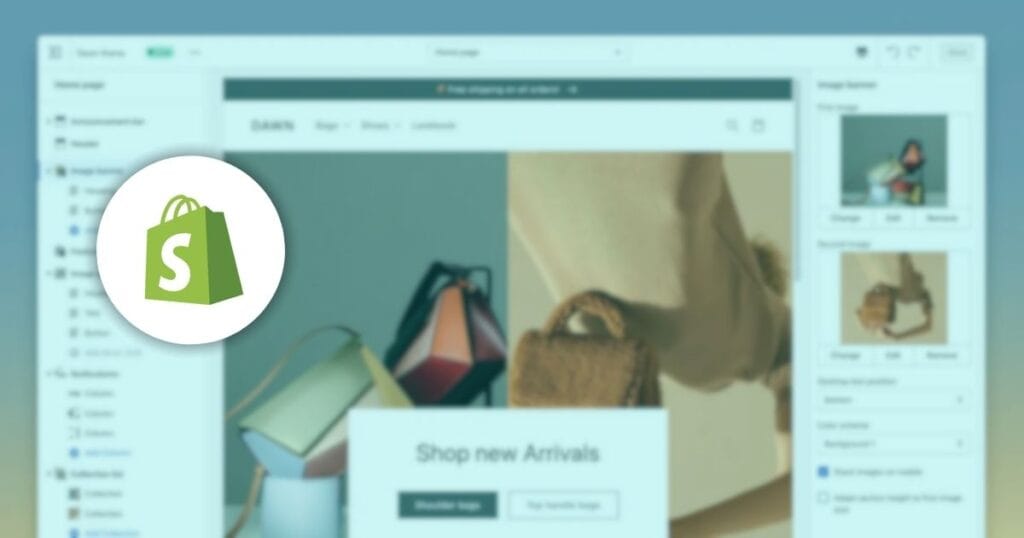
Choosing the right e-commerce platform can feel like navigating a minefield. You’re an aspiring entrepreneur or small business owner, eager to launch your online store, but you’re overwhelmed by the options available. Platforms like Shopify, WooCommerce, Magento, and BigCommerce all promise to be the best solution. So, how do you decide? We’ve seen countless businesses struggle with this decision. Many clients have come to me after wasting time and money on platforms that didn’t meet their needs. We’ve worked with a range of e-commerce platforms, but today, we’re focusing on Shopify. Why? Because it’s a platform that often stands out for its ease of use and robust features, yet it also has its drawbacks. In this article, you’ll get a comprehensive review of Shopify. We’ll delve into its key features, pricing, and how it compares to its competitors. By the end, you’ll have a clear understanding of whether Shopify is the right fit for your business. Let’s cut through the noise and get to the heart of what makes Shopify a leading choice for many e-commerce businesses. Shopify is a Website Builder. Shopify has carved out a significant space in the e-commerce world since its inception in 2006. Founded in Canada by Tobias Lütke, Daniel Weinand, and Scott Lake, Shopify was created to address the founders’ frustrations with existing e-commerce platforms. What began as a simple online store for snowboarding equipment has grown into a powerful platform hosting over a million businesses worldwide. Shopify’s rise to prominence is due to its user-friendly interface and comprehensive feature set, making it accessible for both beginners and seasoned developers. The platform is designed to cater to a wide range of businesses, from small startups to large enterprises. Its versatility and scalability are among the key reasons it has become a go-to solution for e-commerce web development. Key highlights of Shopify’s offering include a fully hosted solution, meaning you don’t have to worry about server management or security updates. Additionally, Shopify provides a wide range of customisable themes, an intuitive drag-and-drop builder, and a robust app store, enabling you to extend the functionality of your store easily. Key Features of Shopify When evaluating an e-commerce platform, it’s essential to understand the key features that can make or break your online business. Shopify is packed with tools and functionalities designed to streamline the process of setting up and managing an online store. Here’s a closer look at what Shopify offers: 1. User Interface and Ease of Use One of Shopify’s standout features is its user-friendly interface. Whether you’re a tech-savvy developer or a complete novice, Shopify’s intuitive design makes it easy to navigate. The dashboard is clean and straightforward, allowing you to manage your products, orders, and customer information with minimal effort. The setup process is equally simple. Shopify provides a step-by-step guide to help you get your store up and running quickly. With its drag-and-drop builder, you can customise your store’s look and feel without needing any coding skills. This ease of use is a significant advantage for small business owners who want to focus on selling rather than dealing with technical complexities. 2. Design Options and Themes Shopify offers a wide range of professionally designed themes that cater to various industries. Whether you’re selling fashion, electronics, or digital products, there’s a theme that suits your needs. These themes are mobile-responsive, ensuring your store looks great on any device. For those who want more control over their store’s design, Shopify’s theme editor allows for extensive customisation. You can adjust colours, fonts, and layouts to match your brand identity. If you have coding knowledge, you can further tweak the themes using Shopify’s Liquid templating language. 3. App Store and Integrations The Shopify App Store is a treasure trove of tools and integrations that enhance your store’s functionality. From SEO and marketing apps to inventory management and customer service tools, there’s an app for virtually every need. This extensive app ecosystem enables you to customise and scale your store as your business grows. Popular integrations include email marketing services like Mailchimp, analytics tools like Google Analytics, and various payment gateways. These integrations help you streamline your operations and improve your store’s performance without needing to switch platforms or use multiple systems. 4. Payment Processing Shopify provides its payment gateway, Shopify Payments, which simplifies the payment process for both you and your customers. With Shopify Payments, you can accept credit cards directly through your store without needing to set up a third-party payment provider. It also supports various payment methods, including Apple Pay, Google Pay, and Amazon Pay. For those who prefer using other payment gateways, Shopify supports over 100 third-party providers, giving you the flexibility to choose the best option for your business. However, it’s worth noting that using external gateways may incur additional transaction fees. 5. Security and Reliability Security is a top priority for any online business, and Shopify excels in this area. As a fully hosted solution, Shopify takes care of all security updates and compliance requirements. It provides SSL certificates for your store, ensuring that all data transmitted between you and your customers is encrypted. Shopify also offers robust uptime, ensuring your store is available to customers around the clock. With 24/7 monitoring and support, you can have peace of mind knowing that any issues will be promptly addressed. 6. SEO and Marketing Tools Driving traffic to your online store is crucial, and Shopify equips you with the tools to do just that. The platform offers built-in SEO features, including customisable title tags, meta descriptions, and URL handles. It also generates an XML sitemap and supports rich snippets to improve your store’s visibility in search engine results. Marketing your store is made easier with Shopify’s range of built-in tools. You can create discount codes, gift cards, and email campaigns directly from the dashboard. Additionally, Shopify integrates with social media platforms, allowing you to sell products on Facebook, Instagram, and Pinterest. With these key features, Shopify provides a comprehensive solution for building