
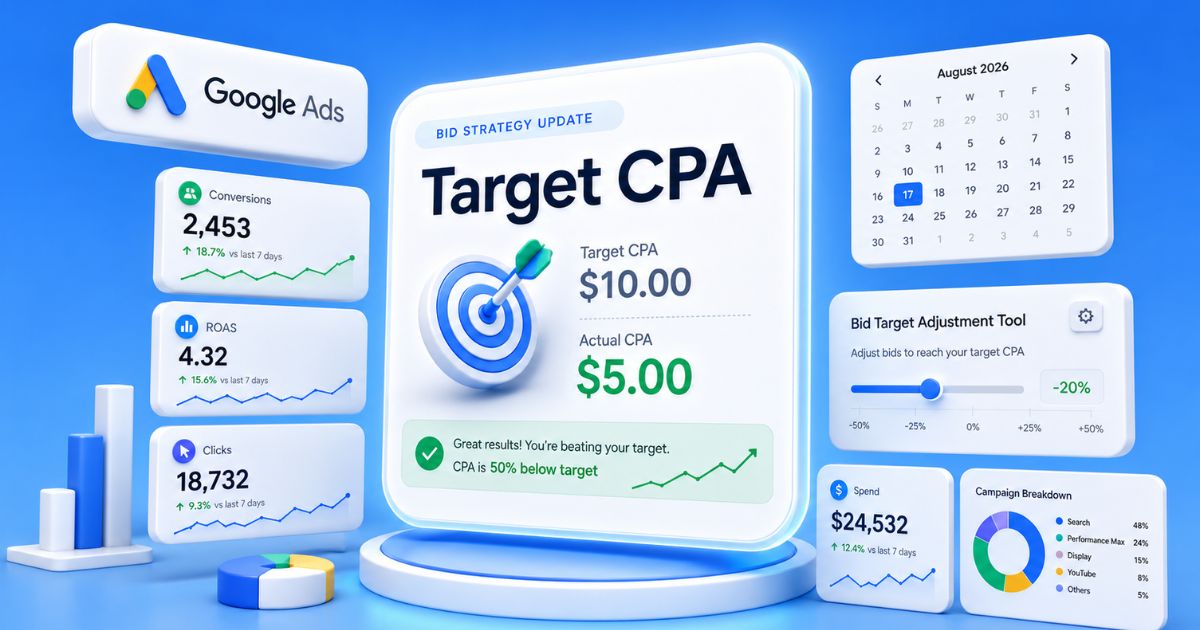
On 17 August 2026, Google is changing how a large slice of Search, Shopping, Performance Max, Demand Gen and Travel campaigns bid. Most advertisers will get a one-line notification that says no action is needed. For a lot of accounts, that line is quietly wrong.
The change is technical and easy to scroll past. It’s also one of the more consequential bidding updates in years. It alters what your Target CPA and Target ROAS numbers actually do. If your budget-limited campaigns have been beating their targets, and many have, this update hands that efficiency back unless you act before the date.
Here’s the whole picture: what’s changing, why your campaigns have been over-performing, and who’s affected. Plus the one decision every advertiser needs to make in the six-week window Google has given us.
Your bid target is about to become a destination, not a ceiling.
- The date is 17 August 2026. Budget-limited campaigns on Target CPA or Target ROAS will start performing toward the target you set, not comfortably beyond it.
- Over-performing campaigns lose that edge. A $10 Target CPA quietly delivering $5 drifts up toward $10. A 200 percent ROAS target hitting 400 drifts down toward 200.
- “No action needed” is a trap for some accounts. If you’re happy only because you’re beating your target, doing nothing lets that efficiency evaporate.
- There’s a tool and a window. The Bid Target Adjustment Tool went live on 6 July 2026. You have until 17 August to review and reset targets.
- The real question is whether your target is real. If it’s your true break-even, the change helps you scale to it. If it was aspirational, you tighten it or pay more.
What’s actually changing on 17 August 2026
Today, a budget-limited campaign on a target-based bid strategy often beats the target you set. Smart Bidding quietly delivers below your Target CPA, or above your Target ROAS. From 17 August 2026, Google is updating its bidding systems. Those campaigns will perform more consistently toward the target instead, even when you adjust budgets. Google frames this as more predictable performance for the targets you set, and you can read the official announcement in full.
In plain terms, the target stops being a ceiling your campaign comfortably beats. It becomes the number your campaign actually aims to hit. That’s good news if your target sits exactly where you want to operate. It’s a problem if you’ve been enjoying performance well inside your target. You might not have realised the budget cap was doing the work.
Why your budget-limited campaigns beat their targets today
This is the part worth understanding, because it explains why the change matters. When a campaign is capped by budget, Smart Bidding can’t spend freely to your target, so it gets selective. It chases the cheapest, highest-value conversions it can find. It quietly skips the auctions that would cost you closer to your actual target. The result is a Target CPA of $10 that delivers at $5, or a Target ROAS of 200 percent that returns 400.
That looks like a win, and in efficiency terms it is. But it comes with a hidden cost: volume you never captured, and performance that jumps around every time you touch the budget. A budget-limited campaign isn’t really running at your target, it’s running under it. That inconsistency is the thing Google has decided to fix.
The same campaign, before and after
| Your campaign | Today, limited by budget | From 17 August 2026 | Your move |
|---|---|---|---|
| $10 Target CPA hitting $5 | Sits near $5, lower volume | Drifts toward $10, more volume | Set the target near $5 to keep the efficiency |
| 200% Target ROAS hitting 400% | Sits near 400%, lower volume | Drifts toward 200% | Raise the target toward 400% to hold the return |
| You change the budget | Performance can swing | Stays consistent to target | Fewer surprises when you scale up or down |
| What the target means | A ceiling you beat | The number you hit | Set it where you actually want to operate |

Who’s affected, and who isn’t
The change applies to budget-limited campaigns that use Target CPA, Target ROAS, or Target CPC on Demand Gen. It spans Search, Shopping, Performance Max, Demand Gen and Travel campaigns. If you sell products, your Shopping and Performance Max campaigns are squarely in scope. Those are often the accounts running hardest against a budget cap.
Some campaign types already work this way and won’t change: Hotel and Display. Google leaves others out entirely: App campaigns and Video reach or view campaigns. If your account is mostly Search and Shopping on target-based bidding, assume you’re affected and review accordingly.
The Bid Target Adjustment Tool, and your six-week window
Google hasn’t left you to do this blind. On 6 July 2026 it launched the Bid Target Adjustment Tool. It shows the campaigns in scope, their recent actual performance, and a recommended target that fits how they’ve really performed. You can accept the recommendation, type a custom target, or leave things as they are. That gives you roughly six weeks, until 17 August, to make a considered call rather than a reactive one.
Two things are worth knowing. Google won’t change your budgets or your targets for you, so nothing happens automatically to your settings. And industry coverage has been blunt that campaigns which have been outperforming their targets may simply stop doing so unless you step in.
Your options before 17 August
There are really five moves, and the right one depends on your goal for each campaign.
- Do nothing, on purpose. If you want more volume and your target is a cost you’re happy to pay, do nothing. Let performance settle at the target and take the extra conversions.
- Lock in your current efficiency. Use the tool to set the target to your recent actual performance, so a campaign delivering $5 keeps aiming for $5.
- Pick a middle number. Set a custom target between your old ceiling and your recent actual, trading a little efficiency for a little volume on purpose.
- Change strategy. If a strict target isn’t the point, Maximize conversions or Maximize conversion value will chase the most results inside your budget instead.
- Fund the volume. If a campaign is only budget-limited because the budget is too low for genuinely profitable demand, the honest fix is more budget, not a looser target.
Notice that four of those five require you to know one number: the most you can afford to pay for a sale, or the minimum return you need. Guess it, and you’re choosing blind.
Every option turns on one number
Before you reset a single target, know your breakeven ROAS.
This change rewards advertisers who know the number they can afford. Two inputs, and out comes the exact return your ads must clear to break even, so you set the target on purpose rather than on a guess.
Open the ROAS calculatorNo email, no sign-up required.
Before 17 August
Audit your targets before Google resets them for you.
We’ll pull every budget-limited target-based campaign in your account. We check each against what you can afford, and set the targets that hold your numbers.
Book a Google Ads auditWhat we’re doing for our clients
Across the accounts we manage, this isn’t a wait-and-see. In the six-week window, we pull every budget-limited campaign that runs a target-based strategy. Then we check each one against a number the platform doesn’t know: the client’s true break-even.
That break-even isn’t the Target CPA someone set last year. It’s built from margin, and often from blended marketing efficiency ratio rather than a single-campaign ROAS. That shows whether a campaign beating its target is genuinely profitable or just cautious. Where the efficiency is real and the client wants to protect it, we tighten the target before 17 August. Where the campaign is starving profitable demand, we argue for budget, not a lower target. Then we document the before and after, because reporting the change to clients honestly matters more than pretending the update never happened.
To judge the impact properly once it lands, give each campaign a conversion cycle or two before you read the result. Lean on how you measure paid performance rather than a single day’s dashboard. Bidding changes always look alarming on day one.
The bottom line
Strip away the notification language and the update is simple: target-based bidding will start doing exactly what it says on the label. The advertisers who lose out are the ones who set a target loosely and let a tight budget flatter the results. The ones who come out ahead know their numbers and can tell the platform exactly where to operate.
That’s the same divide that separates how high-spending brands run paid from everyone else, and you have until 17 August to get on the right side of it. If you’d rather do that work with a team that lives in these accounts, that’s what our Google Ads management is for.
Frequently asked questions
Do I need to do anything before 17 August 2026?
If your budget-limited target-based campaigns are already set to the exact CPA or ROAS you want to operate at, no. If they’ve been beating their targets and you want to keep that efficiency, yes: use the Bid Target Adjustment Tool to reset the target to your recent actual performance before the date.
Will this change make my Google Ads cost more?
It can. A campaign delivering a $5 cost per sale against a $10 target will move toward $10 unless you lower the target, which means a higher cost per conversion in exchange for more volume. Whether that’s good or bad depends on whether $10 is still profitable for you.
Which campaigns and bid strategies are affected?
Budget-limited campaigns using Target CPA, Target ROAS, or Target CPC on Demand Gen, across Search, Shopping, Performance Max, Demand Gen and Travel. Hotel and Display already work this way, and App and Video reach or view campaigns aren’t affected.
What’s the Bid Target Adjustment Tool?
A Google Ads tool, live since 6 July 2026, that shows your affected campaigns, their recent actual performance, and a recommended target. You can accept it, set a custom target, or leave things unchanged. Nothing changes automatically.
Should I lower my Target CPA or raise my Target ROAS?
Only to the number you can actually afford. Set the target to your true break-even or the efficiency you want to protect, not just to whatever you’ve been hitting. If you don’t know that number, work it out before you touch anything.
Is this just a way for Google to make advertisers spend more?
Some in the industry read it that way, and for accounts with loose targets it will raise spend. The fairer reading is that it makes targets literal and performance predictable across budget changes. It rewards advertisers who know their numbers and exposes the ones who don’t.