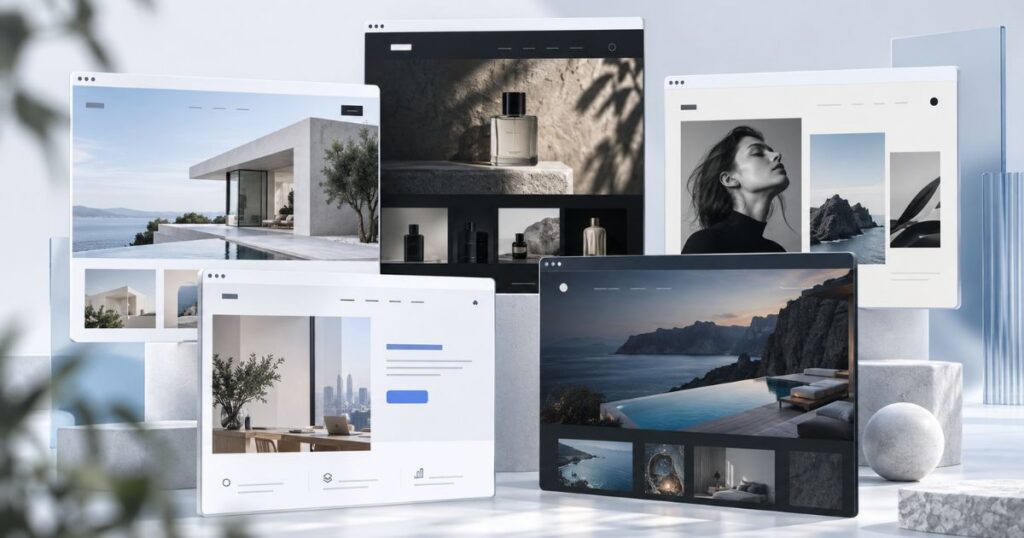
Building a website can feel daunting, especially if you don’t come from a technical background. There are dozens of builders, they all promise the same thing, and picking the wrong one usually means rebuilding six months later. So let me save you the trial and error.
These are the seven website builders worth considering in 2026, what each one is genuinely good at, who it suits, and where it falls down. One thing to hold onto before you start comparing logos and price tags: the builder matters far less than picking one that fits how you’ll actually use it. A simple tool you understand beats a powerful one you don’t, every time.
The short version
Pick the builder that fits how you’ll actually start.
- Best all-rounder: Wix. The easiest way to a good-looking site fast, no code required.
- Best for design: Squarespace. Polished out of the box, hard to make ugly.
- Best for selling: Shopify. Built for e-commerce, and priced for it.
- Best value: Hostinger or WordPress.com. The cheapest honest way to get online.
- Know the ceiling. Builders are a brilliant start, but most sites we get asked to rebuild outgrew one.
How we picked
Every builder here was judged on the same things: how easy it is to actually use, how good the templates look, what it can do out of the box, what it costs, and how well it holds up once real traffic and real content land on it. Nobody paid to be on this list. It’s the shortlist we’d hand a client who wants to start themselves.
Wix, the easy all-rounder
If you want a good-looking site up fast with zero code, Wix is the softest landing. The drag-and-drop editor is genuinely beginner-friendly, there are hundreds of templates, and the AI site generator will rough out a whole site from a few questions. The trade-off is that once you pick a template you’re mostly stuck with it, and heavy Wix sites can get sluggish. For a small business that wants to DIY without the learning curve, though, it’s hard to beat.
Squarespace, the design-led pick
Squarespace is the one to reach for when the site has to look sharp and you don’t have a designer. The templates are genuinely beautiful, everything is mobile-responsive, and it’s hard to make something ugly even if you try. It’s a little less flexible than Wix and the learning curve is slightly steeper, but for portfolios, studios and brand-led businesses, it punches above its weight.
Weebly, the simple budget option
Weebly is the plain, no-fuss choice for a small, straightforward site. It’s easy, it’s cheap, and it does the basics without overwhelming you. The catch is that it’s had very little love from its owner in recent years, so the design options and features feel dated next to the others here. Fine for a simple brochure site, less so if you want room to grow.
WordPress.com, the content and blogging pick
If you’re going to publish a lot, WordPress.com is built for it. Strong content management, a huge library of themes, and plugins to bolt on almost anything. Worth clearing up the confusion, though: WordPress.com (the hosted service reviewed here) is not the same as self-hosted WordPress, the open-source software most serious business sites run on. And “free” comes with asterisks, which we unpacked in is WordPress actually free. Great for content-first sites, a bit much if you only need five pages.
Shopify, built for selling
If you’re selling physical products, Shopify is the default for a reason. Inventory, secure checkout, shipping, payments and a deep app store, all built for e-commerce rather than bolted on. It costs more than the general builders and the transaction fees sting if you don’t use Shopify Payments, but for a real store it earns it. If you’re torn between it and the open-source route, Shopify and WordPress split on more than price.
Webflow, for designers who want control
Webflow is where builders stop being toys. You get near pixel-perfect control, a proper CMS, and advanced interactions and animations without writing code, though you’ll feel like you’re half-learning to code anyway. The power comes with a real learning curve and higher pricing, so it’s overkill for a simple site. For designers and teams who want a custom look without a full development build, it’s the sweet spot.
Hostinger, the cheapest way on
Hostinger’s website builder (which absorbed the old Zyro) is the budget champion. It’s genuinely cheap, the AI tools will draft copy and rough out a layout, and it covers the basics for a small site or store without fuss. You give up some design depth and the bigger app ecosystems the others have, but if the priority is “online, professional, and barely any money”, it’s the one.
The seven, side by side
Skimming? Here’s the lot in one table, with who each one really suits and roughly what it costs to get in the door. If you want help narrowing it down, we walk through it in choosing between them without losing the plot.
| Builder | Best for | Starts at |
|---|---|---|
| Wix | Beginners who want fast and flexible | Free, then ~$17/mo |
| Squarespace | Design-led brands and portfolios | ~$16/mo (trial) |
| Shopify | Selling physical products | ~$29/mo (trial) |
| WordPress.com | Content-heavy and blog-first sites | Free, then ~$4/mo |
| Webflow | Designers who want control | Free, then ~$14/mo |
| Weebly | A simple, cheap brochure site | Free, then low-cost |
| Hostinger | The tightest budget | From ~$3/mo (long plan) |
Prices are indicative entry points in USD and move around often, so check the live page for current pricing in your currency before you commit.

Here’s the honest bit a lot of these lists skip. Most of the sites we get asked to rebuild started life on a builder someone outgrew. That’s not a knock on the builders, it’s the opposite: they’re a brilliant, cheap way to get online and prove the idea. The mistake is pouring three years and all your SEO into one before you’ve checked whether it can take you where you’re going. Start on a builder if that’s what fits today. Just go in knowing where the ceiling is.
When it’s time to move off a builder
Builders are perfect for getting started, testing an idea, or running a small, simple site cheaply. You’ll start to feel the walls when you need serious SEO control, custom functionality the platform won’t allow, faster load times, or you’re simply tired of fighting a template to do something it wasn’t built for. That’s usually the point where a custom build on self-hosted WordPress pays for itself, and it’s worth understanding what actually goes into building a website before you make the jump.
Outgrown the DIY route?
When a builder can’t take you further, we can.
We design and build sites that are made to rank and scale, not just go live. Book a call and we’ll tell you honestly whether you need one yet.
So which should you pick?
Start with what you’re actually building. A simple business site that just needs to look good: Wix or Squarespace. An online store: Shopify. A content-heavy or blog-first site: WordPress.com. The tightest possible budget: Hostinger. Designers who want real control: Webflow. Then get properly good at the one you choose before you worry about the rest.
And keep an eye on the number that actually matters: what the site earns you, well beyond what the subscription costs. Before you commit, it’s worth knowing what a website actually costs across the DIY and custom routes, and if you’ve narrowed it to two, Squarespace and WordPress split hardest on SEO.
Frequently asked questions
What’s the best website builder in 2026?
For most people, Wix, because it’s the easiest way to a good-looking site with no code. If design is the priority, Squarespace edges it. If you’re selling products, Shopify is the one. The best builder really depends on what you’re making, not a single winner.
What’s the cheapest way to build a website?
Hostinger’s website builder is the budget champion, and WordPress.com and Wix both have genuinely usable free plans to start on. You’ll typically pay once you want a custom domain, more storage, or to remove the builder’s branding, which is usually a few dollars a month.
Is Wix or Squarespace better?
Wix is more flexible and more beginner-friendly, so it suits people who want to tinker. Squarespace looks more polished out of the box and is harder to get wrong, so it suits design-led brands. Both are excellent, it comes down to whether you value flexibility or finish.
Can I build an online store without Shopify?
Yes. Wix, Squarespace, Webflow and WordPress all have e-commerce options that work well for smaller catalogues. Shopify tends to win once selling is the main game and you need serious inventory, shipping and checkout tools built for scale.
Do I need to know how to code?
No. Every builder here is designed for people who don’t code. Webflow gives you the most control and so feels the most technical, but even it doesn’t require writing code. The rest are genuinely point, click and publish.
When should I move off a website builder?
When you keep hitting walls: SEO you can’t control, functionality the platform won’t allow, slow load times, or a template you’re constantly fighting. That’s usually the point where a custom build earns its place over a monthly subscription.